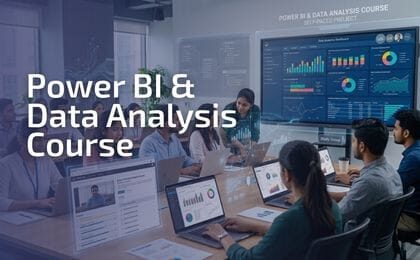
The Power BI Business Analytics Training Program is designed to help learners transform raw data into interactive dashboards and meaningful business insights.
This hands-on course focuses on data modeling, visualization, and storytelling using Microsoft Power BI, a leading business intelligence platform used globally.
Participants will learn how to connect data sources, build professional dashboards, and present insights that support strategic decision-making.
By the end of this course, participants will be able to:
Build interactive dashboards and reports in Power BI
Connect, clean, and transform data from multiple sources
Create data models and relationships
Use DAX basics for calculations and measures
Analyze business performance visually
Apply story-driven data presentation techniques
Convert complex data into clear, actionable insights
| Classes / Week | Duration / Class | Total Learning Hours | Course Length | Bonus Support |
|---|---|---|---|---|
| 1 Class | 2 Hours | 20 Hours | Approximately 10 Weeks | Unlimited Post-Course Support |
| Module | Topics Covered | Hands-on / Practical |
|---|---|---|
| Module 1: Introduction to Data Analysis & Power BI | – Overview of Data Analysis – Types of Data Analysis – Roles in Data – Course Goals & Expectations |
Installing Power BI |
| Module 2: Power BI Environment & Workflow | – Power BI Components – Power BI Desktop Interface – Data Flow in Power BI – Connecting to Data Sources |
Hands-on Data Connection |
| Module 3: Data Cleaning & Power Query | – Data Cleansing Importance – Power Query Editor Overview – Removing Rows & Columns – Handling Missing Data |
Data Cleaning Assignment |
| Module 4: Data Modeling & Relationships | – Facts vs Dimensions – Types of Relationships – Star & Snowflake Schema – Normalization |
Relationship Building |
| Module 5: DAX Fundamentals | – Calculated Columns vs Measures – Basic DAX Syntax – Aggregate Functions – Filter & Row Context |
Measure Creation |
| Module 6: Data Visualizations – Basics | – Bar, Line, Column, Pie Charts – Maps and Tables – Slicers & Filters |
Dashboard Creation |
| Module 7: Business Performance Analysis – Excel Dashboard | – Excel Pivot Creation | Dashboard Creation |
| Module 8: Excel Dashboard from Power Pivot | – Power Pivot Creation | Dashboard Creation from Power Pivot |
| Module 9: R Integration with Power BI | – Introduction to R – Basic R Programming – Using R in Power BI – R Visuals |
R Script Import |
| Module 10: Career, Freelancing & Final Project | – Freelancing Platforms – Corporate Training – Building Power BI Solutions – Certification & Career Roadmap |

Muhammad Asad Shah (Certified Microsoft Excel & Power BI Professional) is a Senior Business Consultant with 10+ years of corporate experience specializing in Data Analytics, Business Intelligence, and Performance Management; expert in Power BI, Excel, Python, DAX, Pandas, and Matplotlib; experienced in building dashboards, automating reports, and improving operational efficiency; strong in Business Strategy, Customer Communication, Training & Facilitation, and Project Planning; delivered highest-ever sales growth in Motor Fuel & Lubricants (+12%) at Total Parco Pakistan Limited; trained 300+ staff annually; led ESG reporting and performance dashboard development; served as Lecturer in Chemical Engineering at University of Karachi where he designed curriculum for Analytical Chemistry and developed laboratory programs in Thermodynamics; NEBOSH Certified (Distinction), Microsoft Certified Data Analyst (PL-300), certified in Data Science (Udemy), and DigiSkills certified in Business Data Analytics Writing.